
Best event check-in apps in 2026: 12 options compared
Twelve event check-in apps compared on QR scanning, name search, badge printing, self-service kiosks, networking and published prices.
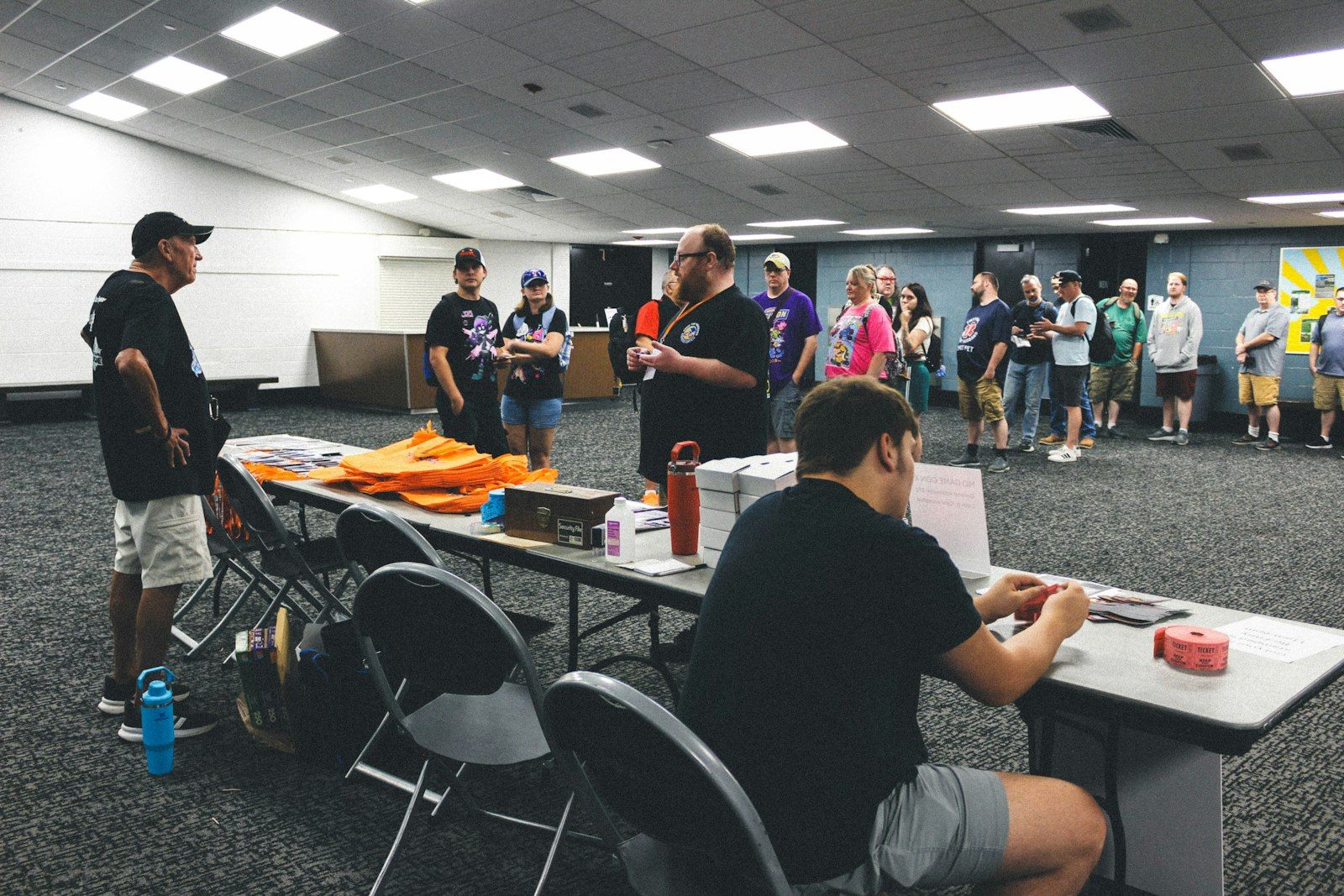
Check-in is the first thing every guest sees, and the moment your event either flows or queues. A good check-in app does three jobs: it gets people through the door fast, it prints their badge, and it starts the networking that the event is really for.
Here are twelve event check-in apps compared on the door itself (QR scanning, name search, badge printing and self-service kiosks) and on what comes after it: networking, exhibitors and a community that lasts.
Fizvizz is our app, so it comes first. Everything about the other eleven comes from their own websites, linked in each section.
How we chose these apps
We looked at the apps that event organisers most often meet when they search for a check-in app, and kept the ones that:
- check guests in at an in-person event from a phone or tablet;
- scan a QR code, a ticket or a badge, or find guests in a list;
- describe their check-in features and their pricing approach on their own website.
For each app we read its own website, help centre or app-store listing in November 2026 and quote it directly. We left out review-site ratings and the statistics vendors publish about themselves, because we couldn't check them. "Not stated" in the table means the app's own pages didn't say so when we read them, not that the app can't do it.
The quick comparison
| App | QR check-in | Find guests by name | Badge printing | Self-service kiosk | Attendee networking | Exhibitor tools | Community after the event | Price |
|---|---|---|---|---|---|---|---|---|
| Fizvizz | Yes | Yes | Yes, at check-in | Yes | Yes | Yes | Yes | Free up to 200 people; check-in from $49 an event |
| Eventbrite Organizer | Yes | Not stated | Not stated | Not stated | Not stated | Not stated | Not stated | Free for free-ticket events |
| Cvent OnArrival | Yes | Yes | Yes, on demand | Yes | Yes, in Attendee Hub | Yes | Yes, in Attendee Hub | Quote only |
| Whova | Yes | Yes | Yes | Yes | Yes | Yes | Not stated | Quote only |
| Zoho Backstage | Yes | Yes | Yes, on demand or in bulk | Yes | Yes | Yes | Yes | Free plan; paid plans not shown |
| Accelevents | Yes | Yes | Yes | Yes | Yes | Yes | Not stated | From $7,500 per event |
| KonfHub | Yes | Yes | Yes | Yes | Gold plan | Gold plan | Not stated | Free for free tickets; fees on paid plans |
| vFairs | Yes | Yes | Yes, in bulk or on demand | Yes | Yes | Yes | Not stated | Not published |
| EventLeaf | Yes | Yes | Yes, at check-in | Yes | Not stated | Yes | Not stated | Free up to 100 attendees a year; from $1 per attendee |
| Stova BadgeNext | Yes | Attendee search | Yes, at check-in | Yes | Not stated | Yes | Not stated | Check-in on request; packages from $1,995 |
| RegFox | Yes | Yes | Premium plan | Yes | Not stated | Not stated | Not stated | $0 a month plus a fee per registration |
| Bizzabo | Yes | Yes | Yes | Yes | Yes | Sponsor matchmaking | Not stated | From $17,999 a year |
Each entry is stated on the app's own website. Not stated: its pages didn't say so when we read them in November 2026.
1. Fizvizz
Fizvizz is an event and community networking app for iPhone and Android. It runs the whole door, from the invitation to the printed badge, and then keeps people meeting long after it.
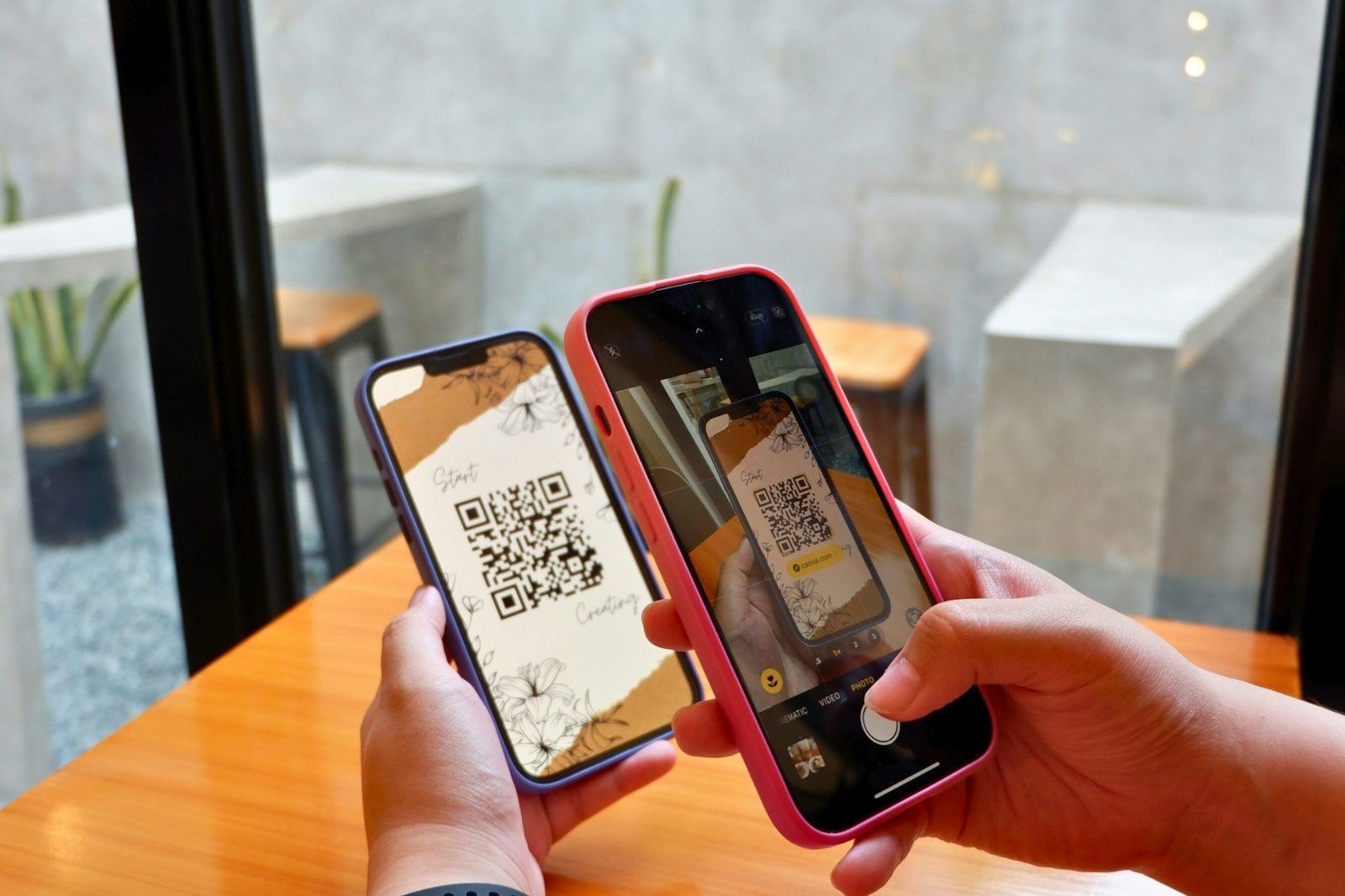
- Invitations that carry the check-in: invite people one at a time or from a spreadsheet, with a personal check-in QR in each email, so guests check in even before they have the app.
- A code that can't be passed on: guests with the app show a signed code that refreshes every 15 seconds, so a screenshot of someone else's code won't work.
- A fast desk: every organiser, moderator and volunteer scans with their own phone and sees "Checked in", "Already checked in" with the time and who scanned them, or "Not on the attendee list", with a live count. A guest who can't find their code is found by name.
- Self-service kiosk: set a phone or tablet at the entrance, and guests check themselves in: they hold their check-in code up to its camera, from the app or their invitation email, or type the email they were invited with, and their badge prints.
- Badges printed at check-in: with auto-print on, each guest's badge prints as they check in, on a Bluetooth or Wi-Fi label printer, in five designs. Guests choose what their badge shows, and anyone who scans the badge's QR saves that person's details, with where they met.
- Walk-ins under control: a join link or a join QR that refreshes itself lets late sign-ups in.
- After the door: the same app runs the networking (Looking For, digital cards, signals and meetings scheduled into Apple, Google or Outlook calendar), exhibitor pages with booth visits, and an event group that stays open after the day.
- Pricing: free on the App Store and Google Play, and free for groups and events up to 200 people. Check-in at the door comes with an event upgrade from $49. Group plans start at $14 a month; large events and expos are quoted.
Best for: organisers who want a fast door, printed badges and a community that keeps going afterwards. See the event check-in app and event badge printing pages.
2. Eventbrite Organizer
Eventbrite's Organizer app describes itself as "an all-in-one solution for a smooth check-in process, letting you scan tickets and access attendee data instantly".
- Scanning: "Our check-in app lets you scan QR codes on tickets quickly and easily."
- On the go: "Monitor real-time ticket sales, check in attendees with a quick scan".
- At the door: the app "includes secure payment processing, making it easy to manage transactions at the door".
- Apps: the Eventbrite Organizer app is on the App Store and Google Play.
- Pricing: Eventbrite is "always free for events with free tickets, with no ticketing platform fees". For paid tickets its pricing page lists a service fee of 3.7% plus $1.79 per ticket and a 2.9% payment processing fee per order.
Best for: events already selling tickets on Eventbrite that need a quick scanner at the door.
3. Cvent OnArrival
Cvent OnArrival "handles event check-in, on-demand badge printing, and attendance tracking, so the door never slows the show".
- Finding attendees: "Quickly check attendees in by searching name, email, company, confirmation, and more", or by QR code and barcode.
- Badges: "Print badges wirelessly and in real-time."
- Kiosks and walk-ins: "Attendees can use self-service kiosks or staffed check-in stations to print badges instantly upon arrival", and teams "register and check in walk-in attendees directly on-site".
- Live data: "Real-time event stats every 15 minutes" and real-time check-in alerts.
- After the door: Cvent's Attendee Hub adds networking, exhibitor profiles and discussion groups that "let the conversation continue long after the event".
- Apps: the OnArrival app, from Cvent, is on the App Store and Google Play.
- Pricing: quote only, from its pricing page.
Best for: large, multi-day conferences already on Cvent's suite.
4. Whova
Whova's check-in promises "faster, smarter, contactless check-in for any event".
- Ways in: "Check in through QR codes, check in kiosks or manually through the app."
- Name search: "Start entering the attendee's name to quickly check them in."
- Kiosks and badges: it "supports instant badge printing at self-service kiosks or via connected printers", and you can "set up unlimited tablets and QR codes with instant badge printing connected".
- Live data: "view real time attendee check-in data as data updates instantly".
- After the door: the Whova event app adds attendee chat, matchmaking and exhibitor tools.
- Pricing: quote only. Whova's pricing page offers a quote, and a trial after a 20-minute demo.
Best for: conferences that want check-in inside a full conference app.
5. Zoho Backstage
Zoho Backstage has three connected mobile apps, and its organiser app, Organizer 360, "helps your team run check-ins, tickets, announcements, and live event operations, even offline".
- Finding attendees: "Scan QR badges or search by name, email, ticket ID, or phone to check in attendees."
- Badges: "Print badges on-demand with just a click during check-in or print them in bulk before the event", per its check-in page.
- Kiosks: "Speed up entry via self-check-in kiosks", per its homepage.
- Staff: a Check-in Staff role limits volunteers "to check-in tasks only", and "Check-in and badging also work offline".
- After the door: "AI-powered matchmaking", exhibitor brand pages, and networking "before, during, and even after the event".
- Pricing: its pricing page lists "Check-in and badging solutions" on the Free plan. Paid plan prices didn't show in the page text when we read it.
Best for: teams already working in Zoho, and events that need check-in to keep working on weak venue Wi-Fi.
6. Accelevents
Accelevents check-in is "event check-in software for fast onsite entry".
- Ways in: "scan QR codes, search by name, or check in guests with contactless RFID".
- Kiosks and staff: "Use self check-in kiosks or staff-assisted check-in through the Accelevents app."
- Badges and walk-ins: badge printing is included, and you can "quickly register walk-ins".
- Offline: the app "saves scans locally and syncs automatically once you're back online".
- Live data: "Live reports show registrations, check-ins, and session attendance as they happen."
- After the door: its event app adds networking, meetings and exhibitor booths.
- Pricing: published on its pricing page: Professional from $7,500 per event, which lists staff-managed or kiosk check-in and badge printing, and Business from $13,500 a year with unlimited events.
Best for: enterprise event teams with a budget for kiosks and RFID.
7. KonfHub
KonfHub's check-in app lets organisers "check-in attendees by scanning their QR code using any device".
- Finding attendees: "scan ticket QR codes or search by name, email, phone number, and more".
- Badges: "built-in badge printing, letting organizers design and print custom badges on the spot".
- Kiosks: the app "can be used seamlessly as software for self-check-in kiosks".
- Offline and walk-ins: "our check-in app works offline too", and on-spot registration signs up attendees at the venue.
- No install: it is "a Progressive Web App (PWA)", so "no installation is required".
- Pricing: KonfHub's pricing page is "Free for Free Tickets, Pay-As-You-Go for Paid Tickets", with up to 100 registrations per event on the free plan. The check-in app comes with its paid plans, which charge a percentage fee, and its Gold plan adds an event app with AI networking and an exhibitor portal.
Best for: ticketed events, especially in India, that sell through KonfHub.
8. vFairs
vFairs check-in lets you "check-in pre-registered or walk-in attendees like a breeze with QR codes, self-serve check-in kiosks or facial recognition".
- Scanning: "Scan users' QR codes from the mobile app or third-party codes for entry."
- Name search: "Pull up attendees by first or last name lookup."
- Kiosks and staff: "Deploy self-serve kiosks alongside staffed desks", and "run multiple staff devices in parallel during peak arrival".
- Badges: "Pre-print badges in bulk or print on demand for walk-ups."
- Live data: session check-in stats on "a live analytics dashboard".
- After the door: the vFairs event mobile app keeps attendees engaged "through networking, exhibitor pages, custom agendas, notifications, and more".
- Pricing: not published in the text of its pricing page.
Best for: trade shows, expos and career fairs that want check-in, badges and an event app from one vendor.
9. EventLeaf
EventLeaf's check-in app aims to "speed up entry and simplify attendee check-in for any event".
- Ways in: attendees are checked in "by scanning a QR code with the phone's camera or by searching for their name".
- Kiosks: guests can "check themselves in via self-service kiosks", on "any Android or iOS tablet".
- Badges: "Automatically print event badges during check-in."
- Offline and stations: "Check-in attendees anywhere, even without internet access", with "multiple check-in stations across your venue".
- Exhibitors: its homepage offers to "sell exhibition booths and allow exhibitors to capture leads".
- Pricing: its pricing page has a free Starter plan for up to 100 attendees a year and paid plans at $1 and $2 per attendee. The check-in app, on-site badge printing and offline mode are listed among the paid plans' features.
Best for: conferences, workshops and trainings that want to pay per attendee.
10. Stova BadgeNext
Stova's BadgeNext is a "plug-n-print check-in and badging box", with the Stova Check-In app "pre-installed".
- Ways in: "attendee search and QR code scanning", and contactless check-in "via QR code or NFC-enabled devices".
- Kiosks: "self-service attendee check-in with password-protected kiosk mode".
- Badges: "real-time badge creation at check-in", printing "via Wi-Fi or AirPrint".
- Reports: "check-in counts and key statistics for all your attendees".
- Pricing: its pricing page lists packages from $1,995 plus a fee per registration. Check-in comes in the Onsite Solutions add-on, "available with any package", with "Contact for pricing".
Best for: planners who want a pre-tested check-in and badging kit shipped to the venue.
11. RegFox
RegFox's check-in app lets you "scan QR codes from registrants' confirmation emails".
- Name search: "Begin typing in the name or email of the registrant, and the smart search will begin displaying registrants."
- Kiosks: a "kiosk type setup where registrants check themselves in".
- Offline and devices: the app "doesn't need to be connected to wifi to scan registrations", and syncs "every 90 seconds with the online database as well as other check-in devices".
- On-site sign-up: with Self Register on, registrants "can sign up for your event directly through the Check-In App".
- Badges: printing at check-in is "included at no additional cost with RegFox Premium and Professional plans", from iOS devices.
- Apps: its help centre links the app on the App Store and Google Play.
- Pricing: its pricing page starts the Standard plan, which includes the check-in app, at $0 a month plus $0.99 and 1% per registration, capped at $4.99.
Best for: small and medium events that want registration and check-in with no monthly fee.
12. Bizzabo
Bizzabo's onsite tools bring "onsite badge printing software, easy event check-in, expert in-person support".
- Ways in: its "Onsite Command App enables quick event or session check-in using the attendee's name or a QR code".
- Self-service or staffed: check-in can run either way, managed from the Bizzabo dashboard.
- Kit: its rental "Bizzabox includes iPads, stands, badge printers, routers, and more".
- After the door: Bizzabo Networking adds matchmaking, meeting scheduling and Klik smart badges, with sponsor matchmaking.
- Pricing: its pricing page shows "$499/user" a month, billed annually with a three-user minimum, and "Starting at $17,999" a year, with self-service or staffed check-in, badge customisation and session check-in in the list of what's included.
Best for: B2B conferences that want check-in, badges and networking from one enterprise platform.
How to choose
Start from what the door has to do at your event, then what should happen after it.
- You want the whole journey in one app, from the invitation and the badge to networking, exhibitors and a group that stays open: Fizvizz.
- You already sell tickets on Eventbrite and only need a scanner: Eventbrite Organizer.
- You run a large conference on an enterprise suite: Cvent or Bizzabo.
- You want check-in inside a full conference app with agendas: Whova.
- Your team already works in Zoho: Zoho Backstage.
- You want a check-in and badging kit shipped to the venue: Stova BadgeNext, or Bizzabo's Bizzabox.
- You pay per attendee or per registration and run a few events a year: EventLeaf or RegFox.
- You sell tickets in India through KonfHub: KonfHub.
Whichever you pick, test it at a dry run with real phones before the doors open. Our event check-in guide covers the rest, and the free check-in desk calculator works out how many scanning points your rush needs.
Details were checked on each app's own website on 20 November 2026 and can change. Please check the linked pages for the latest.
Frequently asked questions
What is an event check-in app?
An app your team uses at the door to confirm who has arrived. It scans the QR code on a ticket, invitation or phone, finds guests by name when they have no code, counts arrivals as they happen, and often prints a name badge for each guest.
Is there a free event check-in app?
Several apps have a free starting point. With Fizvizz, invitations, sign-ups, approvals and the guest list are free for events up to 200 people, and check-in at the door comes with an event upgrade from $49. Eventbrite is free for events with free tickets, RegFox's Standard plan is $0 a month plus a fee per registration, Zoho Backstage lists check-in and badging on its Free plan, and KonfHub is free for free tickets with its check-in app on paid plans.
Do guests need to download an app to check in?
Not with most of these apps. Guests usually show a QR code from their ticket or confirmation email. With Fizvizz, guests who are not on the app show the personal QR code from their invitation email, give their name at the desk, or type their email at a self check-in kiosk.
Can a check-in QR code be shared or reused?
It depends on the app. In Fizvizz, the code in the app refreshes every 15 seconds and works for one minute, so a screenshot is no use. An emailed code is for one person at one event, and a second scan shows Already checked in, with the time and who checked them in.
Can I print name badges as guests check in?
Yes, with most apps in this list. Fizvizz prints each badge on a Bluetooth or Wi-Fi label printer as its guest is checked in, at the desk or at a kiosk, and every badge carries a QR that saves that person to contacts. Cvent, Whova, Zoho Backstage, Accelevents, KonfHub, EventLeaf and Stova also print badges at check-in.
How many check-in points do I need?
It depends on how many guests arrive in your busiest window and how long one check-in takes. Plan for the peak, not the average, and count a self check-in kiosk as one point. The free Fizvizz check-in desk calculator works it out from your numbers.